
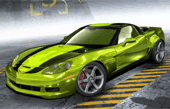

Need for Speed Pro Street
Force Feedback: Full
Pedals: Combined
Shift Lights: No
Released: Nov 14, 2007
This article is part of our series: The Logitech G27 Racing Wheel for Casual Racing Gamers. Here, we will cover setting up your G27 racing wheel to play Need For Speed: Pro Street. The 11th game in the series, Pro Street was developed by EA Black Box and published by Electronic Arts. Pro Street has arcade style racing that takes place completely on a closed track. Pro Street introduced an extensive damage model and featured extensive vehicle customization.
Solid Tip: Looking for G27 drivers or Logitech Profiler software? Get it here.
| Logitech G27 Solid Series Articles | |
|---|---|
| 1. Casual Gamer vs Simulation Gamer | 11. Test Drive Unlimited |
| 2. Setting Up Your G27, Made Easy | 12. Test Drive Unlimited 2 |
| 3. Need For Speed: Carbon | 13. Burnout Paradise |
| 4. Need For Speed: Pro Street | 14. Race Driver: GRID |
| 5. Need For Speed: Undercover | 15. Split Second |
| 6. Need For Speed: Shift | 16. GTR Evolution |
| 7. Need For Speed: Shift 2 | 17. DiRT 2 |
| 8. Need For Speed: Hot Pursuit | 18. DiRT 3 |
| 9. Need For Speed: The Run | 19. Blur |
| 10. Need for Speed: Most Wanted | |
Need for Speed: Pro Street G27 Settings

Pro Street Controls
- Open the Logitech Profiler
- Select New > Profile
- Add nfs.exe as a new game.
- Open Specific Game Settings
- Leave Special Force Feedback Settings unchecked.
- Check ‘Report Combined Pedals.’
- Set Degrees of Rotation to Taste
- Leave ‘Use Special Game Settings’ Unchecked
- Play Pro Street and change keyboard to the G27
- Map the controls to your liking.

Need For Speed: Pro Street Z06



thnx. worked like a charm
I used your setup and it solved the menu scrolling but force feedback doesn’t work.
I have heard that force feedback was broken after the 1.1 patch of this game.
I got it to partially work by checking Use Special Force Feedback Device Settings which got the centering spring and rotation lock working but there is no feedback. I’m using the unpatched version.
Thanks for taking the time to explain how to get this working.
Hey I dont know if you can help me at all, I seemed to follow your nfs profiler by the letter and the game still seems to scroll through on the menu’s. By placing my foot half way down on the accellerator it stops long enough for me to get into a game. If i alt-tab from there do some random feedback settings and reset them again the menu’s seem to work.
Other issue which i guess if the unfixable one was to do with the force feedback. From what i can tell the game (well at least mine) only allows you to set the bar to a minimum of 30%…irrelavant.
James was right, while the feedback does work, the wheel will go appox 70-80% of whatever your max rotation is, then just click and go another 20-30% which is no affected by feedback. The only way to emilinate this entirely was to manually remove the feedback altogether with the profiler. Just set the over-all to 0% and dont worry about the other values.
Ryan your scrolling problem is because of “combined pedals.” That happens in every racing game when you have it backwards.
I run ProStreet unpatched and I use a G27. The first time I loaded up, I had the menu scrolling problem, did a Google and come across this. I did what you mentioned (i.e combine the pedals) and the scrolling stopped. I quit the game and come back later after a break and the problem was back, even with the pedals set to combined. I tried re-checking the option to no avail. The Logitech profile is still set to combined pedals for ProStreet. Do you have any further suggestions?
Did you check both global and specific game options? One can override the other if they are set two different ways. Also check calibration to see if your pedal is slightly pressed and activating the menu. Finally, make sure no other devices are plugged in which might interfere with the g27.
Thanks for the quick reply.
I have the global settings unchecked and sliders at default, as per article #2 in your G27 for Casuals guide.
I’ve checked, double checked and triple checked my calibration, all of my axes are at 0 until I press them (same with buttons, too)
And the only other devices in my PC are the keyboard and mouse which I am 100% certain aren’t the cause of interference as my other games work perfectly.
All of my drivers are up-to-date, including my G27’s which I basically just installed 12 hours ago. ProStreet remains unpatched to due the patches being game-breaking (*sigh*, EA)
I have a driving force gt, and the problem is that my menu is always scrolling down, any sollution ?
Ed, I have referenced that problem before in one of these racing articles. If I recall correctly, its the pedals reporting separate vs combined. You should be able to swap that in the logitech software.
Hey, I’ve set it up as it says but the game just crashes when I enter the career or select race-day in the main menu. Help?
Hi Tom, you might have already got past this, but I couldn’t say what is causing a crash for you. I never experienced any issues running the G27 with it in any of the modes and not sure how they might crash the game. It is likely something related to the graphics card or your version of the .NET Framework
This game does not work properly on window 7 and up. I installed xp for this game. On 7 it kept crashing all the time.